
Mousepad Thickness Guide: 3mm vs 4mm vs 5mm
May 26, 2026
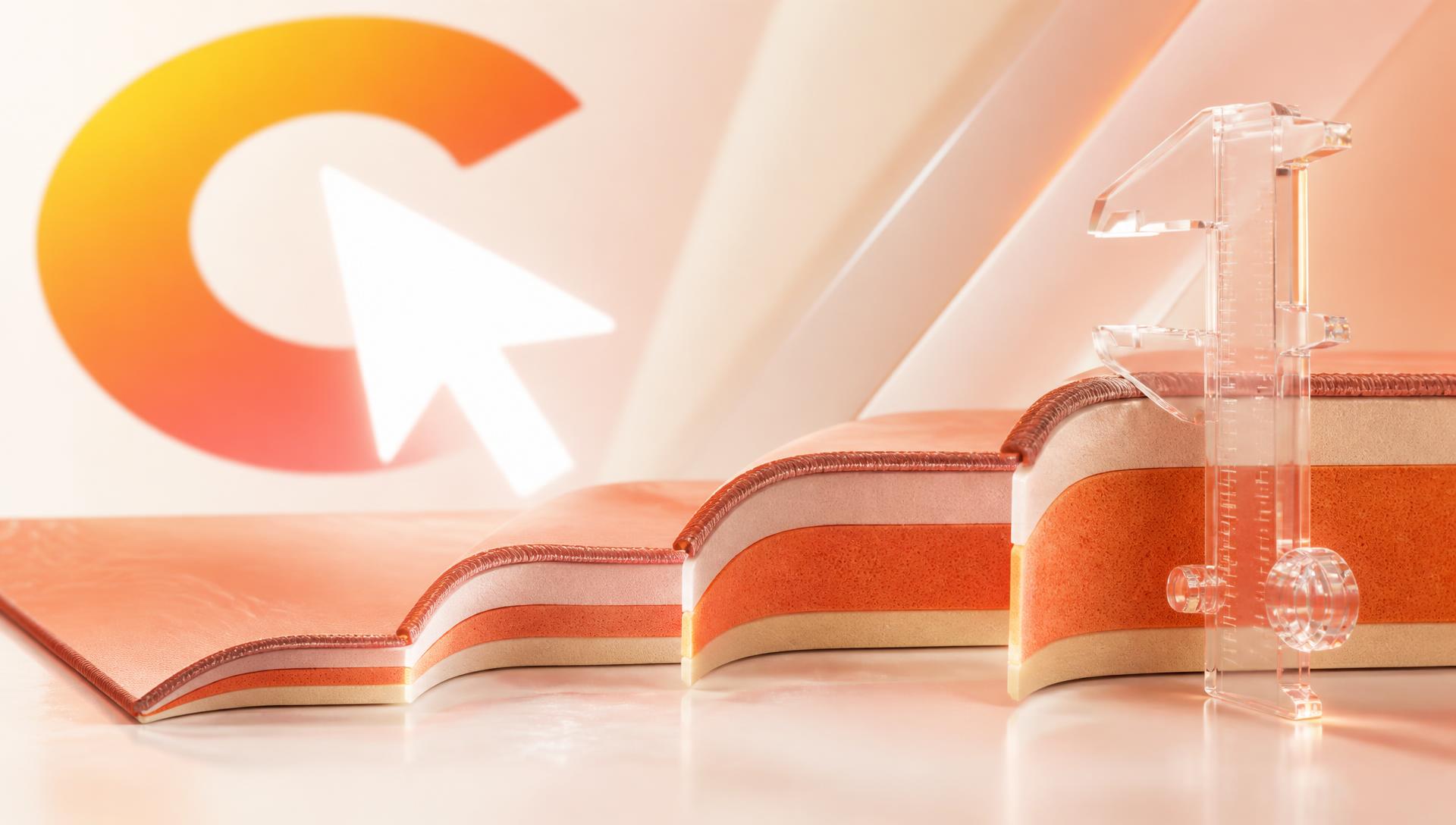
Mousepad thickness controls cushioning, desk isolation, and sensor stability — not glide speed. This guide covers exactly what 2mm, 3mm, 4mm and 5mm+ each change, which thickness suits which desk and grip style, and why 4mm has become the competitive standard.
Thickness is the spec people research last and notice first. It doesn't change how fast your mouse glides — that's the surface weave — but it decides how consistent the pad feels, how much of your desk you can feel through it, and whether your mouse sensor sits at a stable height through a swipe.
Quick comparison
| Thickness | Feel | Best for | Main drawback |
|---|---|---|---|
| 2mm | Hard, desk-like | Travel, LAN, flush setups | Every desk flaw telegraphs through |
| 3mm | Firm with slight give | Balanced daily use, portability | Needs a genuinely flat desk |
| 4mm | Cushioned but firm | Competitive gaming, most people | Slight lip at the edge |
| 5mm+ | Plush, soft | Long comfort sessions, uneven desks | Sensor height shifts under load |
What thickness actually controls
Three things, and it's worth separating them because they get conflated constantly.
Desk isolation. A pad sits on top of whatever your desk is doing. Dents, seams, panel joins, dried spills, and the raised edge of a laminate surface all push up into a thin pad. You feel them as inconsistent friction, and it's genuinely hard to diagnose — the pad feels "off" in one region and you can't say why. Thicker pads absorb more of this.
Wrist and forearm angle. The heel of your hand rests on the pad for hours. A hard 2mm pad transmits desk-edge pressure straight into your wrist and holds your hand at close to desk height. Extra millimetres of foam raise and cushion that resting point, changing the angle your wrist sits at relative to your forearm — a small shift that matters over long sessions and is one reason thicker pads get recommended for wrist discomfort.
Sensor stability. This is the one people miss. Optical sensors are calibrated for a specific lift-off distance. As you move the mouse across a soft pad, the foam compresses unevenly under the mouse's weight — more under your palm, less at the front. On very thick pads that compression varies enough during a fast swipe to subtly change tracking. It's small, but in a game decided by sub-pixel corrections it's real.
Note what thickness does not control: glide speed, stopping power, and friction. Those come entirely from the surface fabric and weave. A 5mm control pad is slower than a 2mm speed pad. Don't buy thickness expecting a speed change.
2mm: the travel option
Nearly flush with the desk. If you carry a pad to LAN events or you want a setup where the pad edge doesn't interrupt your forearm as it moves across the desk, 2mm delivers that.
The trade-off is total: you're essentially aiming on your desk with a fabric layer on top. On a high-quality flat desk that's fine and some players prefer the direct, hard feel. On a cheap or older desk, it's the worst option available.
Choose 2mm if you travel with your pad, your desk is genuinely flat, and you like a hard feel.
3mm: the balanced pick
3mm is the most common thickness in the general market and it's a reasonable default. You get some desk isolation, some comfort, and a low profile that rolls up easily for transport without creasing badly.
Where 3mm struggles is on imperfect desks. It's thick enough to hint at cushioning but not thick enough to actually absorb a dent or a panel seam. If you know your desk is flat, 3mm is a good, portable choice.
Choose 3mm if you want portability without giving up all cushioning, and your desk is in good shape.
4mm: why this became the standard
Almost every premium and competitive-focused pad lands on 4mm, and it's not arbitrary.
4mm is the point where the pad absorbs realistic desk imperfections while staying firm enough that the mouse doesn't sink into it. You get the consistency benefit without the sensor-height variability that starts appearing at 5mm. It also adds enough height to take pressure off the wrist during long sessions without creating a step your forearm has to climb.
Put simply: 4mm buys you consistency, and consistency is what aim depends on. That's also why it's the default spec CursorCulture builds every custom pad on — see the Valorant mousepad guide and best mousepad for competitive FPS for how that plays out in specific games.
The only real drawback is a slightly more pronounced edge where the pad meets the desk. Stitched edges make this a non-issue — the stitch tapers the transition and stops the corner lifting. Read more on why that construction detail matters in why stitched edges matter.
Choose 4mm if you want the safest answer. For competitive play and for most people generally, this is it.
5mm and above: comfort over precision
Thick pads feel great. There's a plushness to a 5mm or 6mm pad that a 4mm doesn't have, and if you're at your desk for ten hours a day doing a mix of work and gaming, that matters.
Two costs. First, the sensor-height issue described above — the foam compresses under the mouse and the compression isn't uniform through a swipe. Second, soft pads let the mouse "dig in" slightly on hard direction changes, which adds a small amount of unpredictability to micro-corrections.
For creative work, office use, or casual gaming, neither cost matters much. For competitive FPS, they do.
Choose 5mm+ if comfort over long sessions matters more than competitive precision, or your desk surface is genuinely bad.
Thickness by desk material
Desk surface matters as much as pad thickness in isolation, because the two interact directly.
Glass and tempered-glass desks are usually the flattest surface you'll find, so even a 2mm or 3mm pad performs well — there's little for the pad to mask.
Laminate and veneer desks often have a raised seam where panels join, or a slightly domed centre from manufacturing. 4mm is the safer default here.
Solid wood and older desks develop dents, water rings, and uneven finish over years of use. These need 4mm minimum, and 5mm if the surface is genuinely rough.
Standing desks with a fabric or textured top already add some give, so pairing them with a thick pad can feel excessive. 3mm is often plenty.
Thickness by grip style
Grip style changes how much of your palm stays in contact with the pad, which changes how much you notice compression.
Palm grip rests the whole hand on the pad, so foam compression under sustained weight is most noticeable here. 4mm is the balanced choice; avoid very soft 6mm+ pads if you palm-grip and play competitively.
Claw grip keeps more weight on the fingertips and less on the palm, so thickness matters less for sensor stability but still affects wrist comfort during rest periods.
Fingertip grip has minimal sustained contact, so thickness is almost entirely a comfort preference rather than a performance one — pick based on desk isolation needs alone.
Thickness, portability, and creasing
Rolling or folding a pad for travel stresses the foam layer, and thickness changes how visible that stress becomes. Thin pads (2-3mm) roll into a tight cylinder and rarely crease permanently. Pads at 4mm and above resist rolling more and are more likely to hold a crease line if folded flat rather than rolled — always roll a thick pad for transport, never fold it, and give it a day flat before use if it's been rolled for a long trip.
Thickness by use case
Competitive FPS (Valorant, CS2, Apex) — 4mm. Consistency wins.
Low-sensitivity arm aim — 4mm, and go XXL for width. You'll be sweeping across the whole surface, so uniform feel across the pad matters more than anything. See best mousepad size for low-DPI gaming for the sizing side of this.
Mixed work and gaming — 4mm, or 5mm if you spend more hours working than playing.
Office and creative work — 4mm or 5mm. Comfort is the priority; precision requirements are lower.
Travel and LAN — 2mm or 3mm. Rolls tighter, packs flatter.
Bad desk surface — 4mm minimum, 5mm if it's really rough.
How thickness interacts with size
These two specs are related in a way that isn't obvious.
On a small or medium pad, your forearm spends a lot of time crossing the pad's edge. The thicker the pad, the more you feel that transition — and it's a source of inconsistency, because your arm is at one height on the pad and another off it.
On an XXL pad covering keyboard and mouse, your forearm stays on the surface the whole time. The edge stops being part of your movement. This means thickness is more forgiving at XXL sizes: a 4mm XXL feels more consistent than a 4mm medium, purely because you never leave the surface. If you're choosing between sizes as well as thickness, the XL, XXL, XXXL deskmat size guide and mousepad size guide cover that decision in full.
So if you're going thicker, go bigger too.
How thickness interacts with print quality
Worth knowing if you're buying a printed or custom pad: thickness and print method are independent, but print method affects the surface feel that thickness sits under.
Dye-sublimation bonds the ink into the fabric fibres, so the weave — and therefore the friction — is unchanged by the artwork. Cheaper surface printing lays ink on top of the fabric, which stiffens it unevenly. On a printed pad with heavy ink coverage you can end up with different friction in dark regions than light ones. No amount of correct thickness fixes that. See sublimation print quality explained for the full mechanism.
This is one reason the "get the design you want" and "get the surface you want" goals so often conflict on off-the-shelf pads. At CursorCulture the base spec is fixed — 4mm, stitched, dye-sublimated — and only the artwork changes, so you generate the design you actually want in the studio without trading away surface consistency to get it. Check pricing for current options across sizes.
Related reading
- Desk Mat for a Mechanical Keyboard: What Actually Changes
- How to Flatten a New Mousepad (Safely)
- Artisan Mousepad Guide: What the Premium Tier Means
FAQ
Is 3mm or 4mm better for a mousepad?
4mm is better for most people, and it's the competitive standard. It absorbs desk imperfections that telegraph through a 3mm pad while staying firm enough that the mouse doesn't sink. Choose 3mm only if you need the pad to roll up tightly for travel and you know your desk is genuinely flat.
Does mousepad thickness affect gaming performance?
Yes, but indirectly. Thickness doesn't change glide speed or friction — the surface weave controls those. What it changes is consistency: thin pads let desk flaws through, and pads over 5mm compress unevenly under the mouse so sensor height shifts slightly during a swipe. 4mm avoids both.
Is a 5mm mousepad too thick?
Not for comfort-focused use. 5mm is plush and takes pressure off the wrist over long sessions, which suits office work, creative work, and casual gaming. It's less ideal for competitive FPS because the foam compresses under the mouse and adds a small amount of tracking variability.
Does a thicker mousepad make my mouse slower?
No. Glide speed comes entirely from the surface fabric and weave, not the thickness. A thick speed-surface pad is faster than a thin control-surface pad. If you want a different glide feel, change the surface type, not the thickness.
What thickness do professional gamers use?
The clear majority use 4mm. It is the standard thickness for premium competitive pads because it gives desk isolation without the sensor-height variability of thicker foam.
Does mousepad thickness help with wrist pain?
It can help indirectly. More foam raises and cushions the resting point of your palm, which changes the angle of your wrist relative to your forearm and reduces pressure from a hard desk edge. It isn't a substitute for a proper wrist rest or correct desk height, but going from 2mm to 4mm is a low-cost comfort upgrade for long sessions.
Does thickness affect how long a mousepad lasts?
Only marginally. Longevity is driven mostly by edge construction and print method — unstitched edges fray and surface-printed ink wears off long before foam thickness becomes the limiting factor. A stitched, dye-sublimated pad at any thickness outlasts an unstitched printed one.
Ready to pick your thickness and put your own design on it? Open the studio and build a 4mm stitched pad sized and styled around exactly how you play.
Keep going
Like this? Get the next one in your inbox.
New journal posts, prompt packs, and artist drops. No spam, ever.