
Dye Sublimation Mousepad Printing Explained
February 2, 2026
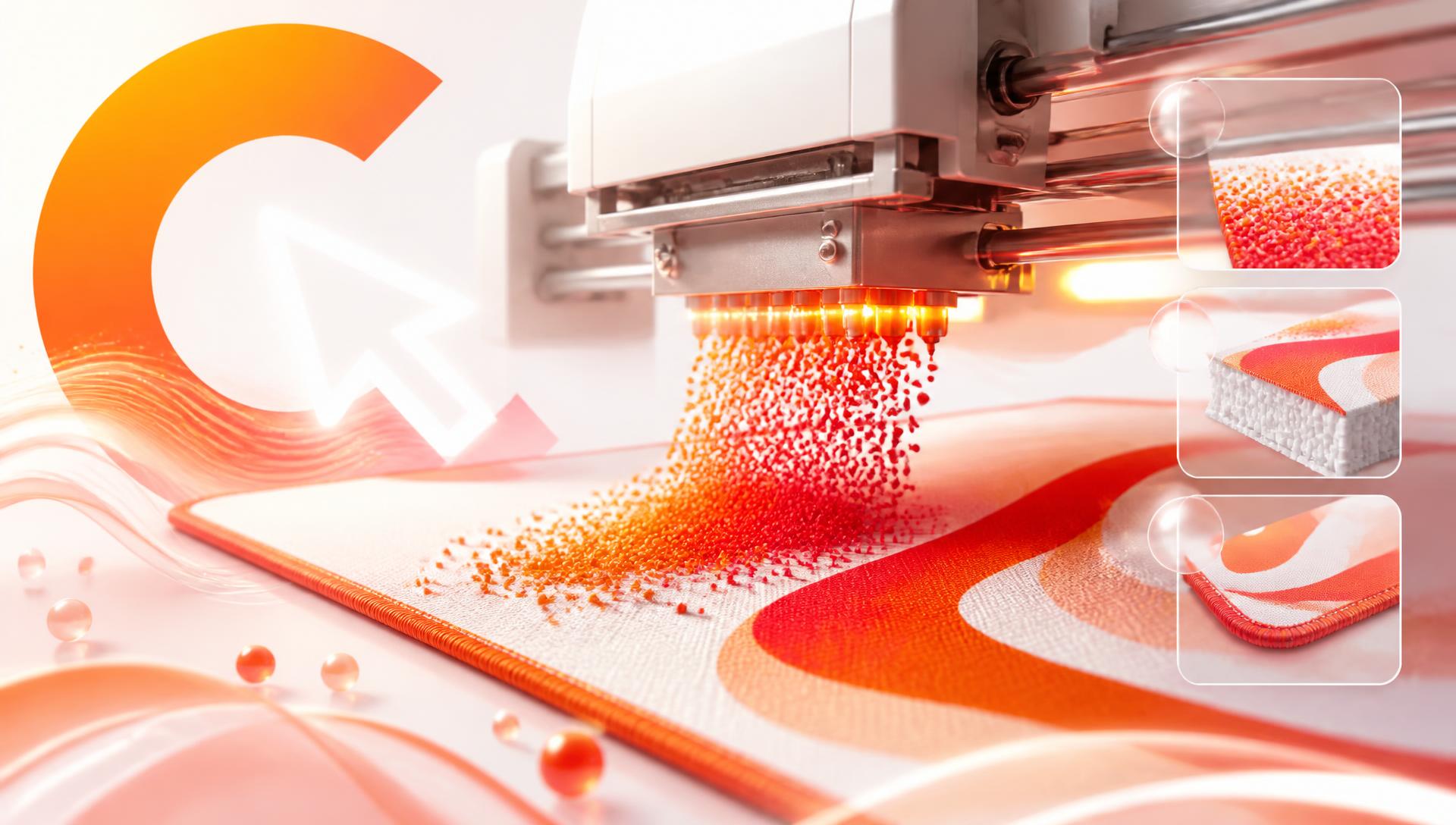
Dye sublimation mousepad printing works by turning solid dye into a gas that bonds directly into the fabric's fibers, rather than sitting on top as a layer of ink. That's why sublimated prints resist fading and cracking in ways screen-printed pads don't, and why understanding the process explains almost every quirk you'll see between the design on your screen and the pad that arrives.
How sublimation printing actually works
The process has three steps. First, the design is printed onto special transfer paper using dye-based inks. Second, that paper is pressed against the cloth top of the pad under heat and pressure — typically well over 190°C. Third, at that temperature the solid dye converts directly into a gas without passing through a liquid stage (that's the "sublimation" part), and the gas penetrates the weave of the polyester fabric. When it cools, the dye solidifies again, now locked inside the fiber itself instead of coated on the surface.
This is the key mechanical fact that explains everything else: the print isn't a layer, it's part of the fabric.
Why that matters for fade and scratch resistance
A screen-printed or heat-sealed pad puts a layer of ink or vinyl on top of the base material. That layer is exposed to every mouse swipe, every wrist rest, every wipe-down. It wears from the top down and it can flake, crack, or peel at stress points — especially the edges, where friction is highest.
A sublimated print has nothing sitting on the surface to wear off. The color is inside the thread. Friction from normal mousepad use doesn't touch it the same way, because there's no separate layer to abrade. That's why sublimated prints hold their color under years of daily mouse movement while surface-printed pads visibly dull within months. It's the same reason we recommend avoiding bleach and alcohol cleaners in our deskmat care guide — those solvents can still degrade the dye bond over time even though it's fiber-deep, so plain water and mild soap stays the safe standard.
Resolution and DPI targets for large-format pads
Sublimation printing can reproduce fine detail, but only if the source file has enough pixel density for the pad's physical size. A working target for cloth mousepad printing is around 150 DPI — lower than the 300 DPI standard for paper, because you view a desk mat from 60-70cm away rather than reading it up close.
At 150 DPI:
| Pad size | Physical dimensions | Pixels needed |
|---|---|---|
| XL | 800×300mm | ~4720 × 1770 |
| XXL | 900×400mm | ~5310 × 2360 |
| XXXL | 1200×600mm | ~7090 × 3540 |
Below roughly 120 DPI, fine linework — thin outlines, small text, delicate hair strands — starts visibly breaking apart into soft blur. This is true regardless of print method, but it's especially noticeable with sublimation because the process is otherwise capable of very sharp detail; a low-DPI source file wastes that capability. We cover the resolution math in more depth in AI Image Quality Explained.
Sublimation vs. screen print: what actually differs
| Factor | Dye sublimation | Screen printing / heat-seal |
|---|---|---|
| Where the color sits | Bonded into the fiber | Sits on top as a layer |
| Fade resistance | High — color doesn't wear off the surface | Lower — surface ink degrades with friction |
| Feel | Cloth stays soft, no texture change | Often adds a slight stiff or plasticky texture where printed |
| Detail capacity | High — handles gradients and fine detail well | Limited — best for flat, simple graphics |
| Full-bleed, edge-to-edge color | Standard | Harder to achieve, often more expensive |
| Typical use | Full-photo or full-art designs across the whole pad | Logos, simple graphics, spot color |
For a design that covers the entire surface of a deskmat with continuous artwork — which is most custom anime and gaming designs — sublimation is the only practical method that reproduces it accurately edge to edge.
RGB screens vs. subtractive print: why colors shift
Your screen builds color by emitting red, green, and blue light directly into your eyes (additive color). A printed dye on fabric works the opposite way — it reflects some wavelengths and absorbs others (subtractive color), and the dye set used in sublimation printing can't hit every color a screen can display. The printable range, or gamut, is smaller than screen gamut, particularly at the extremes.
That's why two colors give printers the most trouble:
Neons and highly saturated colors. A screen can push a color to maximum saturation with no real-world constraint. A dye can't always match that; the printed version usually looks slightly less electric, pulled toward the nearest color the fabric and dye set can actually reproduce.
Pure, deep blacks. True black on a screen is the total absence of light. On fabric, black is a very dense application of dye, and depending on the weave and the exact black value used, it can print with a very slight warm or cool cast rather than the flat, light-absorbing black you see on an OLED screen.
A print pipeline that's built for this converts and previews colors in a printable range before sending the file to print, rather than trusting the raw screen values. That single step is the difference between a pad that matches what you designed and one that looks noticeably duller or shifted on arrival.
How design choices survive or fail in sublimation printing
Gradients — sublimation handles these well, generally better than screen printing, because the dye can be laid down in continuous tone rather than discrete layers. Smooth sky gradients or soft lighting effects print cleanly.
Thin lines — anything under roughly 2-3 pixels at final print resolution risks breaking up or disappearing, especially at the lower end of the DPI range. Anime linework and text logos are the most common casualties.
Tiny text — text below a certain point size relative to the pad's physical size becomes unreadable or blurs into an illegible smear. If a design includes text, it needs to be sized for viewing at desk distance, not phone-screen distance.
High-frequency detail — very fine repeating patterns (chainmail, fabric weave, dense linework) can interact with the printer's own resolution and produce a slight moiré or softening effect. Simpler, bolder detail reproduces more reliably at large scale.
How CursorCulture's AI pipeline outputs print-ready files
Generating art with AI solves one problem (getting exactly the composition and character you want) but introduces another: AI models often output at resolutions built for screens, not 900mm-wide cloth. The CursorCulture pipeline addresses this by upscaling and refining generated art to the actual pixel dimensions needed for the pad size selected, and by adjusting the color profile toward a range the sublimation process can reproduce accurately before the file goes to print. That's the difference between generating a nice-looking image and getting a nice-looking pad — the two are only the same if the file in between is prepared correctly.
FAQ
How are mousepads printed?
Most quality cloth mousepads use dye sublimation: a design is printed onto transfer paper, then heat and pressure convert the dye into a gas that bonds into the fabric fibers. Cheaper pads use screen printing or heat-sealed vinyl layers that sit on top of the material instead of inside it.
Is sublimation better than screen printing for mousepads?
For full-coverage, photo-quality, or gradient-heavy designs, yes — sublimation reproduces detail and color transitions more accurately and resists fading far better because the dye is bonded into the fiber rather than sitting on the surface. Screen printing can still work well for simple, flat-color logos.
Will a sublimated mousepad print fade?
Sublimated prints resist fading much longer than surface-printed alternatives because there's no ink layer to wear off with friction. They can still dull slightly over years of heavy use and sun exposure, but nowhere near as fast as heat-sealed or screen-printed pads.
What resolution or DPI do I need for a mousepad print?
A practical target is around 150 DPI at the pad's actual physical size — for example, roughly 5310×2360 pixels for a 900×400mm XXL pad. Lower than that and fine linework and text start to visibly soften.
Why do colors look different on my printed mousepad than on my screen?
Screens use emitted RGB light while sublimation printing uses reflected dye, which covers a smaller color range. Highly saturated neons and pure blacks are the most likely to shift slightly, which is why a good print pipeline adjusts the file's colors before printing rather than sending the raw screen values.
Can AI-generated art be printed well on a mousepad?
Yes, provided the file is upscaled and color-adjusted for print before it's sent to production. Raw AI outputs are usually sized and color-profiled for screens, so a pipeline that prepares the file specifically for large-format cloth printing is what makes the difference.
Design your own
Once you understand what sublimation actually does to a design, it's easier to design around it — bold color, clear focal points, and detail sized for a desk, not a phone. Head to the CursorCulture studio to generate and refine your own artwork with those constraints built into the pipeline, and check pricing for the sizes available.
Keep going
Like this? Get the next one in your inbox.
New journal posts, prompt packs, and artist drops. No spam, ever.